Dashboards
The Cumulus Dashboard gives users and admins a clear picture of how AI is being adopted across the organization. See usage frequency, estimated time saved, and what kinds of questions your team is asking — all at a glance.
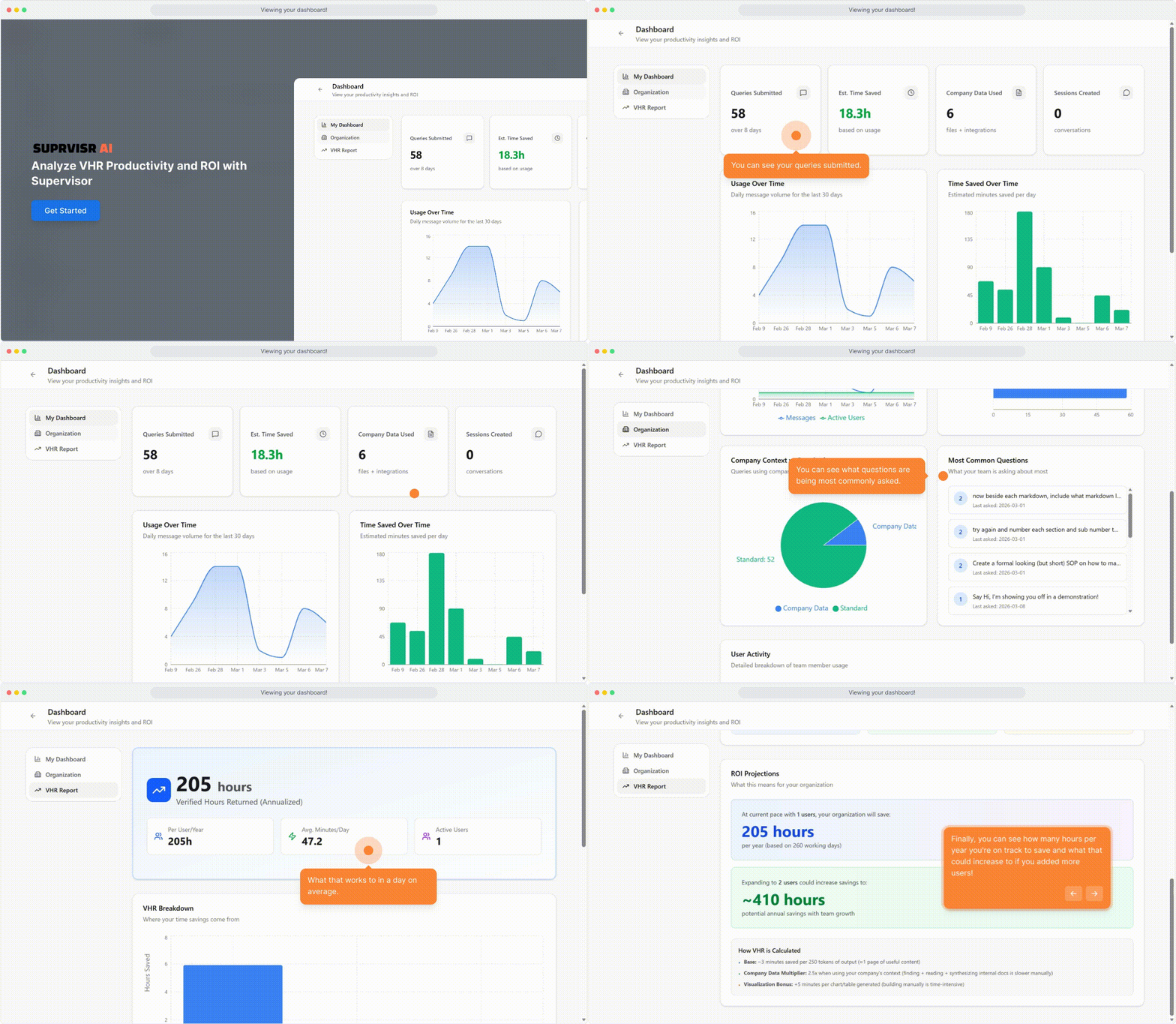
User Dashboard
Every Cumulus user has access to a personal dashboard that shows:
| Metric | What it shows |
|---|---|
| Usage frequency | How often you’re using the platform (daily, weekly trends) |
| Estimated time saved | A calculated estimate of hours saved vs. doing these tasks manually |
| Common topics | The categories of questions you most often ask |
| Chat volume | Number of conversations started over a time period |
Time saved is an estimate based on the type of tasks completed (drafting, summarizing, researching, etc.) and average time for those tasks without AI assistance.
Admin Dashboard
Administrators get an organization-wide view:
| Metric | What it shows |
|---|---|
| Org-wide usage | How many team members are active and how often |
| Team time saved | Aggregate estimate across the whole organization |
| Top topics | Most common query categories across your team |
| Adoption rate | What percentage of your team is using Cumulus regularly |
| Per-user breakdown | Individual usage stats (not conversation content) |
Use the Admin Dashboard to identify who hasn’t onboarded yet, what topics are resonating, and where to focus AI training or enablement for your team.
Privacy note
Dashboards show usage patterns and topics — not the content of conversations. Individual messages are never surfaced in the dashboard view. Administrators can see how often someone is using the platform and what broad topic categories they’re exploring, but not the specific questions asked.
Related
- Admin Setup — organization management
- Self-Destructing Chats — admin-controlled private chat mode
- Personalization — individual settings and preferences