AI Chat
The AI Chat is the core of Cumulus. Ask questions, draft documents, analyze data, and get instant answers tailored to your role.
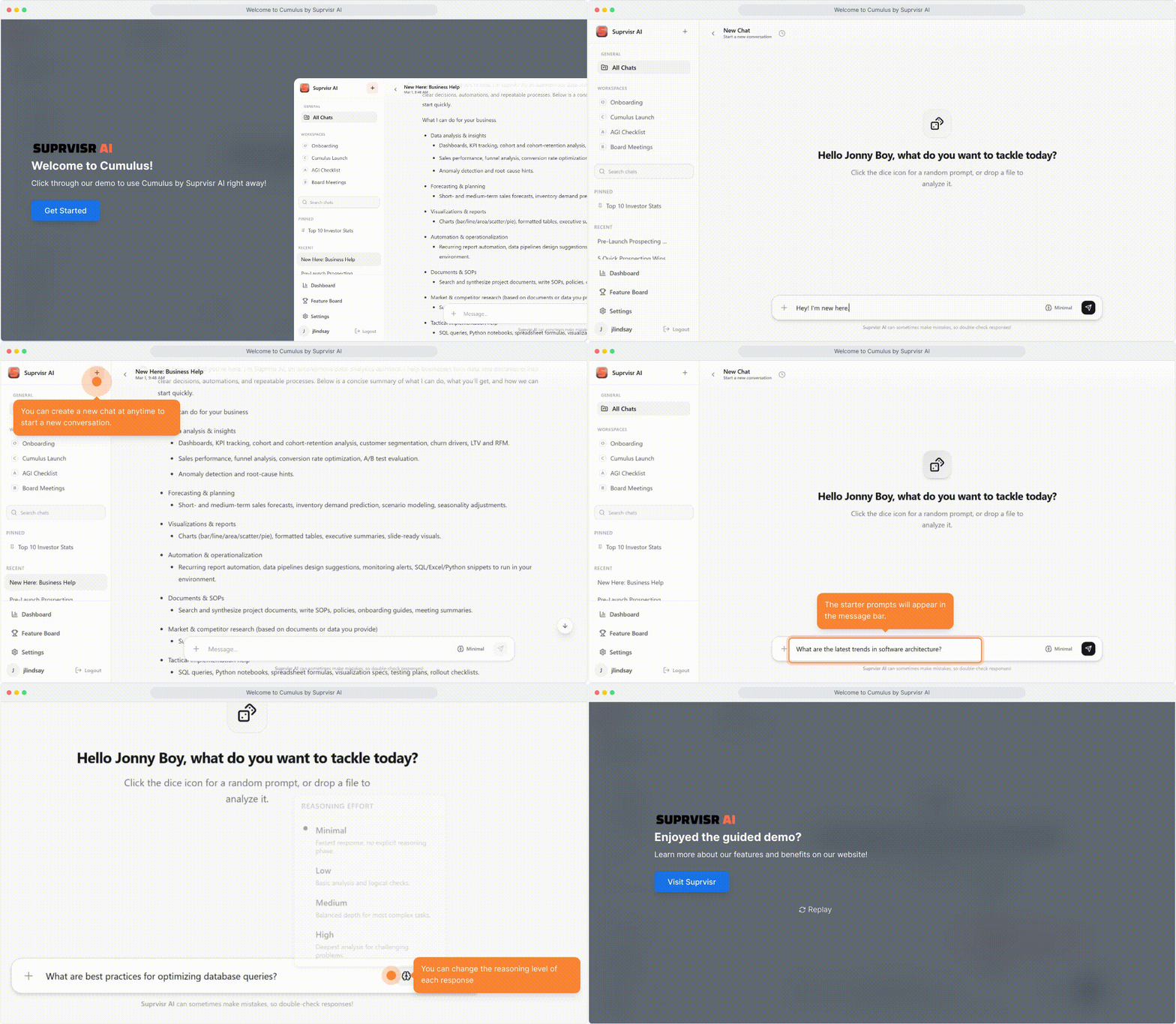
Starting a conversation
Open a chat
Click New Chat (+ icon) in the top-left of the sidebar, or select any existing conversation from the list.
Type your message
Use the message input at the bottom of the screen. It auto-expands as you type.
Send your message
Press Enter to send. Use Shift + Enter to add a new line without sending.
Watch it stream
Cumulus streams responses in real time — you see the answer as it generates, not all at once.
Role-aware responses
When you select your role during onboarding, the AI adapts how it communicates:
| Your role | What changes |
|---|---|
| Developer / Engineer | Technical detail, code examples, debugging guidance |
| Product Manager | Strategic framing, spec-writing, stakeholder summaries |
| Designer / Marketer | Creative suggestions, copy, visual thinking |
| Other | Balanced, general-purpose responses |
Change your role anytime in Settings → Personalization. It takes effect in new chats immediately.
Model & provider selector
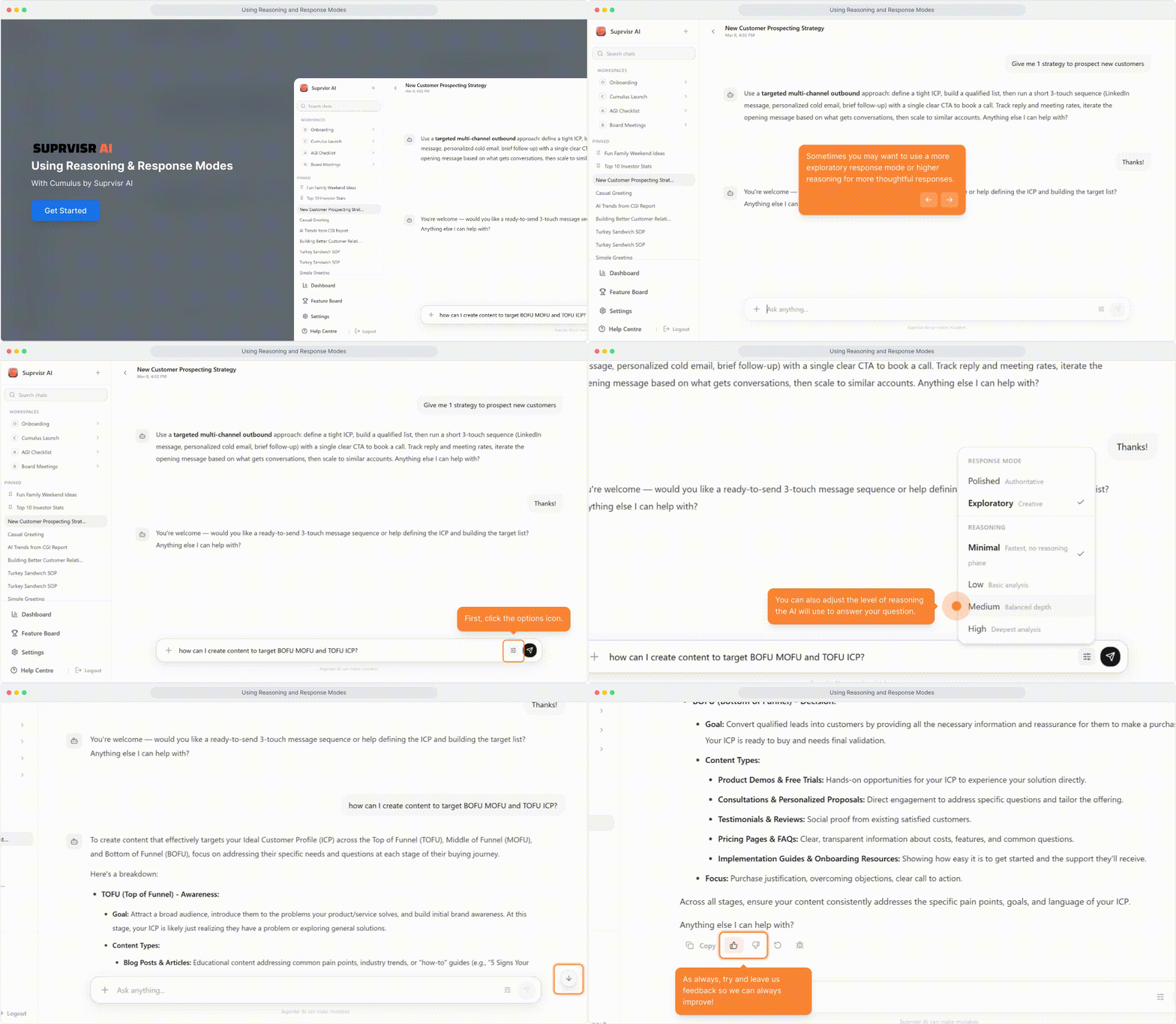
Each chat — or individual message — can use a different underlying model. Use the model selector in the chat input area to switch between OpenAI and Gemini providers and their available model variants.
This is useful when one model gives a noticeably better answer for the task at hand: a coding question might land better with one model, while a long-form writing task lands better with another. The workspace default is set by your admin, but any member can override it per message.
Not sure which to pick? Leave it on the workspace default. Switch when you’re not happy with an answer and want to see if a different model handles it better.
Reasoning effort
The reasoning effort control lets you set how much deliberation the model does before answering. It appears alongside the model selector in the chat input and applies per message.
| Level | What it means |
|---|---|
| Minimal | Fast, direct answer — best for simple lookups or quick edits |
| Low | Light reasoning — good for most everyday questions |
| Medium | Balanced — the default for most tasks |
| High | Deep deliberation — slower, but more thorough for complex analysis |
Higher effort = more careful, step-by-step thinking before the response is written. For nuanced analysis, ambiguous requests, or multi-part problems, bumping effort up often produces meaningfully better answers.
See Reasoning Verbosity for how to control whether that reasoning is shown in the chat.
Follow-up questions
Cumulus can ask clarifying questions before answering when your request needs more context. This is enabled by default and can be toggled off per chat. See Follow-Up Questions for full details.
Agent mode
For multi-step tasks — research, data analysis, or anything that requires planning before acting — Cumulus has an Agent mode accessible directly inside chat.
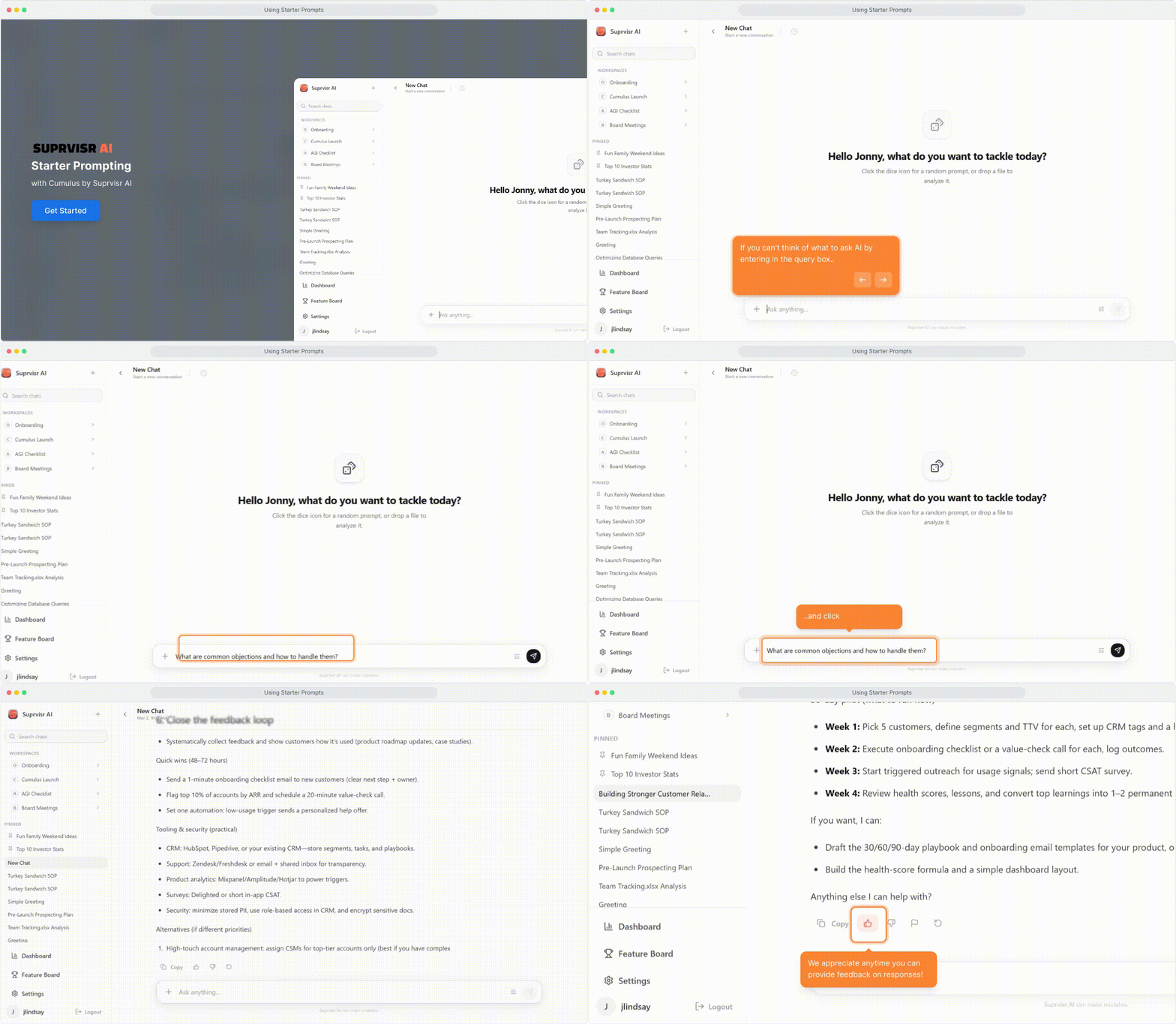
Example prompts (dice icon)
Not sure what to ask? Click the dice icon in the empty chat state to get a role-specific example prompt. Click it again to cycle through options — then click any prompt to drop it into the input field.
Stopping generation
If the AI is mid-response and you want to redirect it, click the red square (stop) button that appears in place of the send button during generation.
Stop generation when: the AI is going in the wrong direction, the response is already long enough, or you want to refine your prompt.
AI thinking & reasoning
For complex queries, Cumulus shows its reasoning in real time:
- Thinking — initial processing state
- Reasoning with your query — appears after ~3.5s, shows active reasoning
- Observations — tool calls, data lookups, and results as they happen
Keyboard shortcuts
| Action | Shortcut |
|---|---|
| Send message | Enter |
| New line | Shift + Enter |
| Stop generation | Click red square button |
What to ask
- “Why would my React component re-render unnecessarily?”
- “Write a TypeScript function that debounces API calls”
- “Explain the difference between optimistic and pessimistic locking”
- “Review this SQL query for performance issues: [paste query]”
Related
- Conversations — manage and organize your chats
- File Uploads — attach files and documents to your messages
- Follow-Up Questions — how clarifying question cards work
- Reasoning Verbosity — control how much reasoning the AI shows
- Prompt Strategies — get better answers with better prompts